What you need
- A Claude plan that includes custom connectors. On Team and Enterprise plans an admin may need to allow it.
- An email address. You create your Orisma account while you connect; you pay nothing until you submit the application.
Connect Claude step by step
1. Open Connectors and add a custom connector. In claude.ai open Customize, then Connectors. Click Add, then Add custom connector.
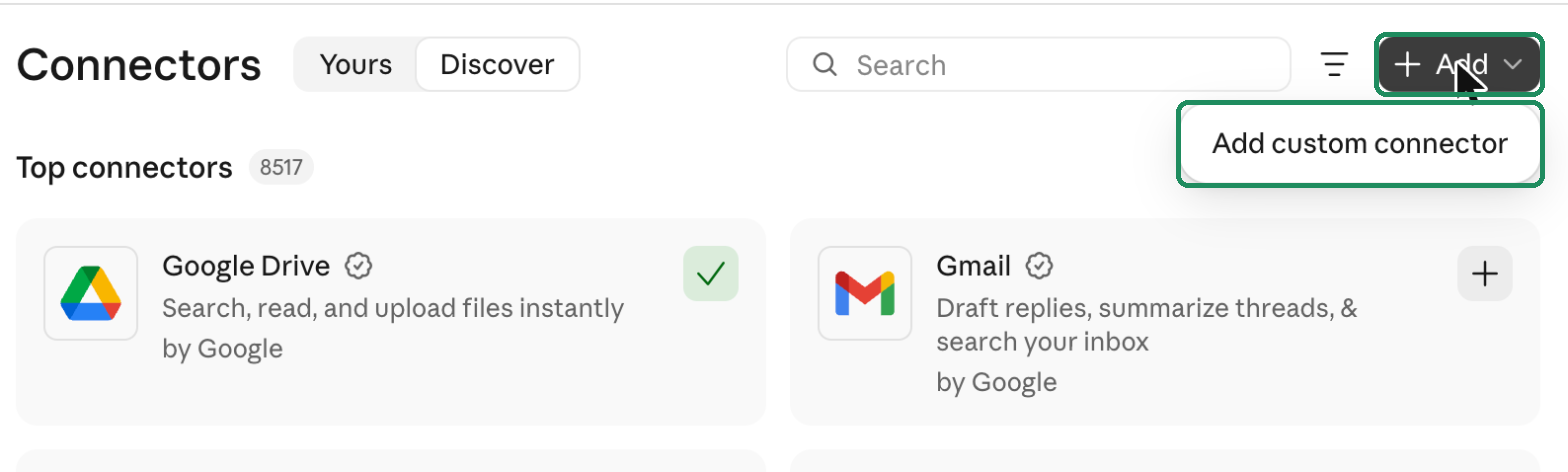
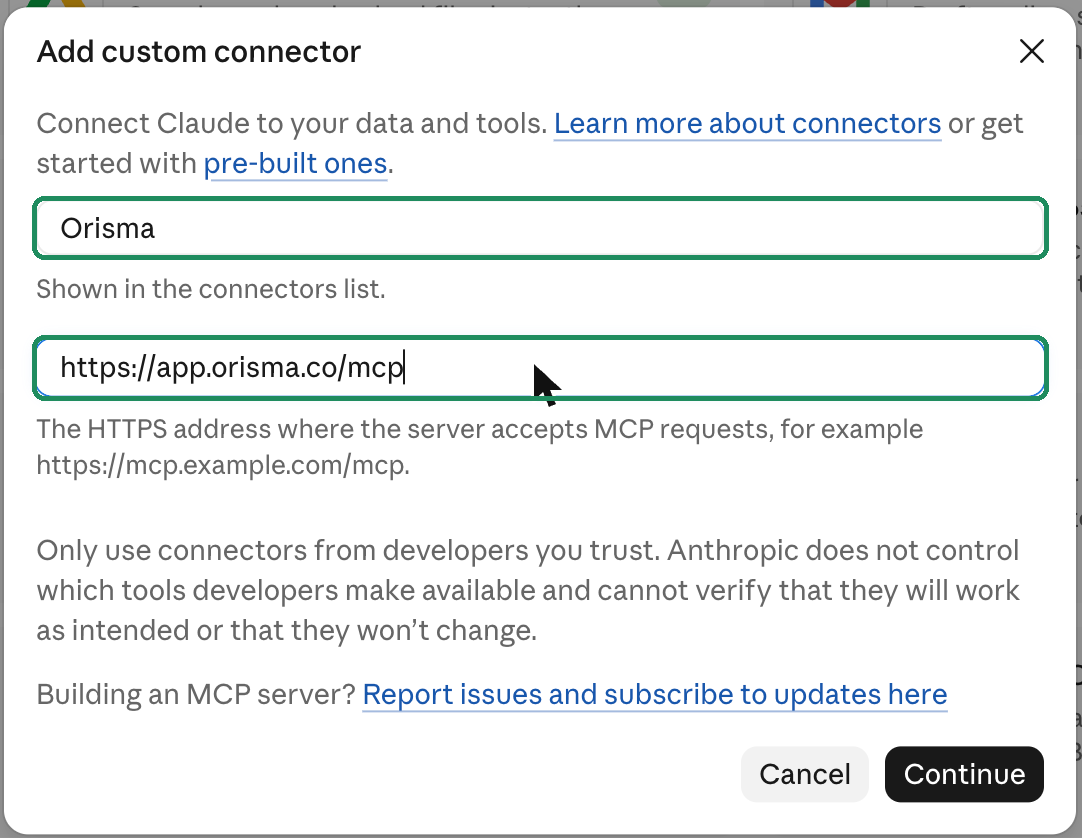
2. Name it and paste the address. Name: Orisma. MCP server URL: https://app.orisma.co/mcp. Click Continue, then Connect.
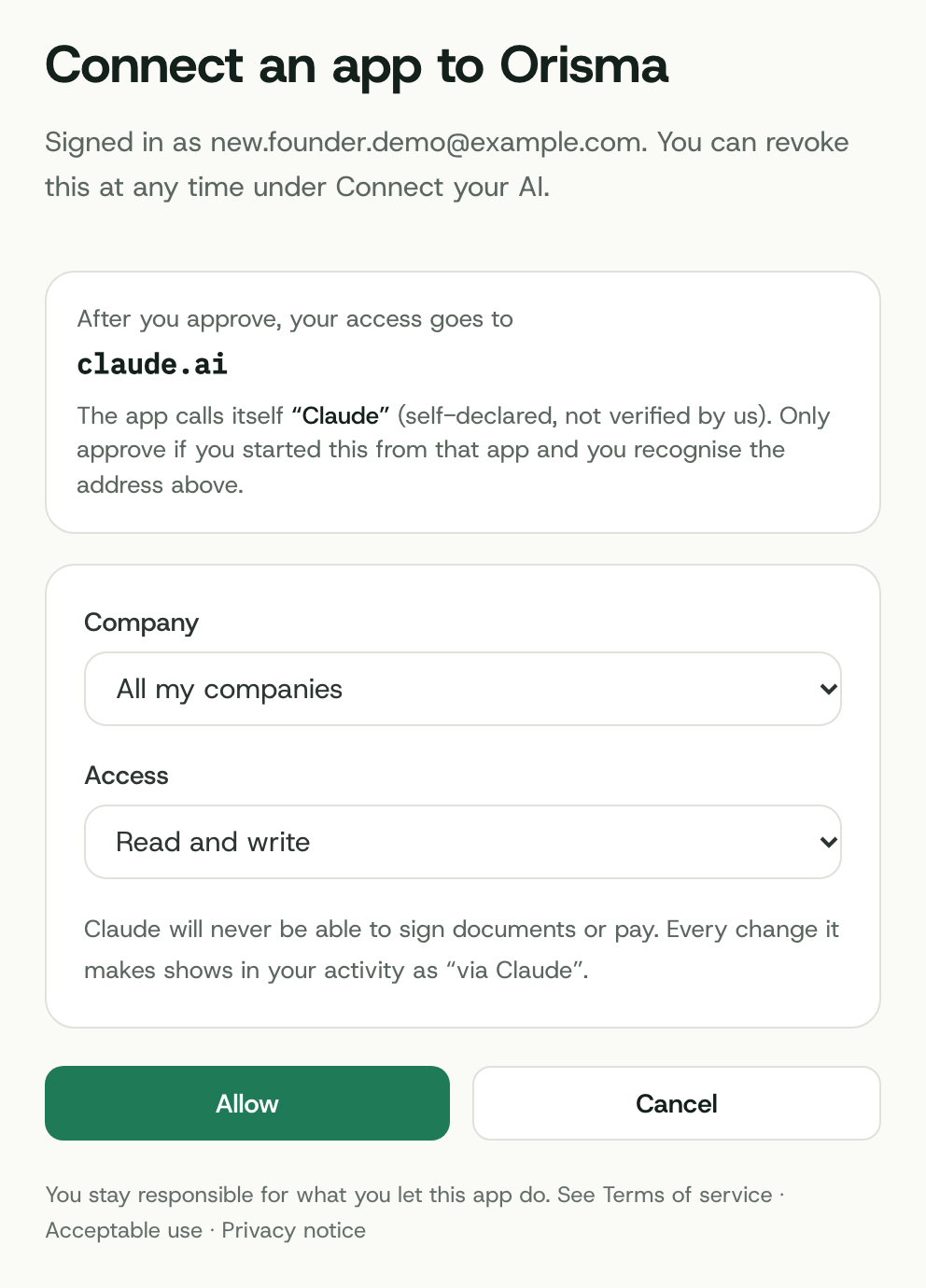
3. Sign in to Orisma and allow access. Claude opens Orisma. Enter your email, open the sign-in link we send, then choose All my companies and Read and write and click Allow. The page names the app that asks, here Claude.
4. Start a conversation. In a new chat, switch Orisma on in the tools menu and write: "Help me form a Cyprus Ltd with Orisma." Claude Desktop shares connectors with claude.ai, so it works there too.
Claude Code: run claude mcp add --transport http orisma https://app.orisma.co/mcp and sign in when asked.
Form the company in the conversation
Ask: "Help me form a Cyprus Ltd with Orisma." In Claude you can also pick the ready-made form my company prompt from the Orisma connector. Claude then:
- starts a draft with up to three name options
- works through the checklist Orisma sends back: activity, turnover band, shareholders, directors, secretary, registered office, share capital, package and add-ons
- explains each requirement under Cyprus rules when you ask
- uploads passports and proof of address you share in the chat into the right request
- gives you the review link once nothing is missing
Claude asks before it uses a tool for the first time. You review the application, pay and sign in the app. The Standard package is EUR 1,390 excl. VAT, and the formation then takes about 15 to 20 working days.
After the formation
The connector keeps working for the life of the company: open requests, filing dates, scanned mail, the status of each bank application and messages to our team, all from Claude.
Questions
Is Orisma in the Claude connectors directory?
Not yet. Until then you add it as a custom connector, which takes about two minutes.
Can Claude sign or pay for me?
No. It gets a link for each signature or payment, and you complete it yourself.
Can I limit what Claude sees?
Yes. When you allow access you can pick one company and read only. To start a new company Claude needs All my companies and Read and write; you can change or revoke the access under Connect your AI once the application is paid.
More on keys and permissions: Use your own AI. Other assistants: ChatGPT, Grok, Cursor, all options.